SpinShark Mobile Casino on iPhone and Android
 Available in GB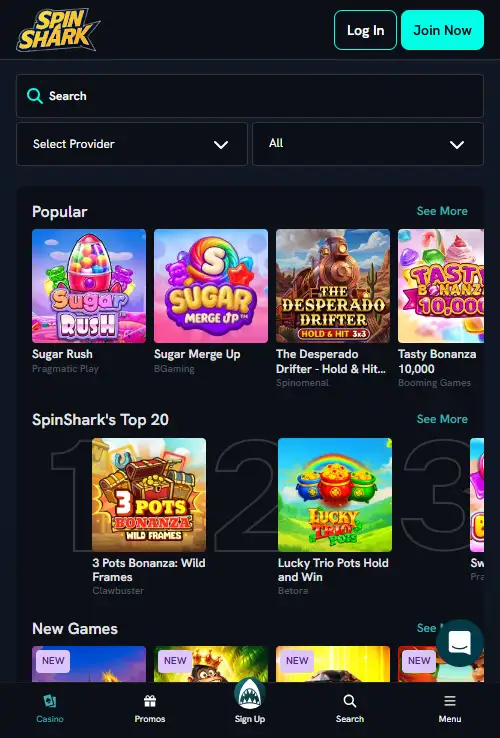
Table of Contents
- Mobile-browser access is the solid part of the evidence
- Using SpinShark on an iPhone
- Using SpinShark on Android without assuming an APK
- Five mobile checks matter more than the word "app"
- Check your preferred titles instead of assuming the full desktop library is identical
- Mobile access is most useful when the whole account flow is comfortable
- Use the verified site route and avoid unverified download files
- Browser access has clear strengths and limitations
- SpinShark mobile questions
- The safest verified way to use SpinShark on a phone
- What a useful mobile test should cover
Section element
Mobile access
SpinShark can be used on a phone through a mobile browser. Third-party descriptions of dedicated iOS, Android or APK software are inconsistent, and there is no clear official App Store or Google Play listing to treat as the standard route.
For UK users, that means the practical route is to open SpinShark in Safari, Chrome or another modern browser and use the mobile site. You can then check the functions that matter to you – games, account access and the cashier – on the actual device you plan to use rather than relying on an app claim from an older review.
Section element
What is verified
Mobile-browser access is the solid part of the evidence
SpinShark can be used through a mobile browser. That is the fact this page treats as established. It is also the least confusing way to describe the service because different third-party pages use words such as app, web app, PWA and APK inconsistently.
Some current pages describe no dedicated App Store or Google Play app and direct users to the browser instead. Other pages use “app” as a loose label for the mobile website or a home-screen shortcut, and some mention an Android APK without providing a verified official store listing. Those statements are not equivalent. A responsive website, a progressive web app and a native store app are different delivery methods.
Until an official store listing or an unambiguous official download page is verified, the supported description is simple: SpinShark works in a mobile browser. That gives players a usable answer without turning conflicting marketing language into a download recommendation.
iPhone
Using SpinShark on an iPhone
On iPhone, start with Safari or another browser you already trust. Open the site, sign in through the normal account route and check that the navigation fits comfortably on the screen. Browser access is the practical iPhone route, without relying on an unconfirmed native App Store download.
A browser-based casino can still feel app-like if the responsive design is good. The important test is functional rather than cosmetic: can you reach your account, find the game categories you want, open the cashier and move between sections without fighting the small screen?
If you choose to save a website shortcut to the iPhone home screen, remember that this is still a shortcut to browser-based content unless the service clearly identifies itself as something else. The icon alone does not prove that a native app has been installed.
Android
Using SpinShark on Android without assuming an APK
Android users have the same verified route: open the site in a modern browser. This avoids a common problem in casino app guides, where an APK is described as official merely because a third-party page offers installation instructions.
An APK is an installable Android package, so the source matters. Without a verified official download location, this page does not provide APK installation steps or link to a file. That is not a statement that no APK can exist; it is a distinction between what has been verified and what has not.
For day-to-day use, browser access also removes the need to manage a separate application update. When the site changes, you normally load the current web version on your next visit. The trade-off is that you should judge the experience by the mobile site’s real navigation and performance rather than by features normally associated with native apps.
What to test
Five mobile checks matter more than the word “app”
Navigation
Confirm that the main menu, account area and category links are easy to reach with one hand and do not require desktop-style hovering.
Game fit
Open the games you actually care about. Some titles work better in landscape, while others are comfortable in portrait mode.
Cashier access
Check that deposits and withdrawals can be reached cleanly from the phone interface. For payment detail, use the dedicated payments guide.
Login flow
Make sure the sign-in and account pages are usable on the smaller screen, especially if you expect to manage the account primarily from mobile.
Connection stability
Test under the network you usually use. Streamed live casino places more visible demand on a connection than a static account page.
Games on mobile
Check your preferred titles instead of assuming the full desktop library is identical
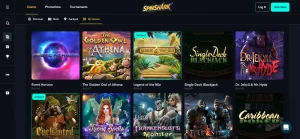
SpinShark’s wider game catalogue is reported at more than 3,500 titles, but a large overall library does not guarantee that every title behaves identically on every phone. Provider availability, browser support and screen layout can affect what is practical on a particular device.
If slots are your priority, open a few representative games and test controls in both orientations. If live dealer games matter more, use the SpinShark live casino guide and test the actual live lobby because streamed video makes screen space and network quality more important.
The full SpinShark games page maps the broader categories and catalogue. This mobile page stays focused on device access rather than repeating the entire game list.
Account tasks
Mobile access is most useful when the whole account flow is comfortable
Many players think of mobile casino use only as playing games, but account tasks are just as important. A usable phone experience should make it straightforward to sign in, review account information and reach relevant banking sections without switching to a laptop.
Features such as biometric login, push notifications or native-device integrations should be treated separately because they depend on a specific app implementation. Browser access can be fully adequate without them, and claiming them without evidence would blur the difference between a responsive website and a native application.
If you are opening a new account from a phone, the next relevant page is the SpinShark registration guide. It covers account setup rather than duplicating those steps here.
Browser safety
Use the verified site route and avoid unverified download files
When app evidence is inconsistent, the safest practical habit is to avoid treating a third-party download as official. An APK can install software directly on Android, so a download source deserves more scrutiny than an ordinary web link.
Third-party APK files, sideloading routes and unofficial store links should not be treated as the standard SpinShark mobile route. If an official app listing appears later, it can be considered separately; for now, browser access is the clearest option.
The same principle applies on iPhone. A home-screen shortcut can be convenient, but it should not be described as proof of a native App Store application.
Practical comparison
Browser access has clear strengths and limitations
| Area | Mobile browser | Native app claim |
|---|---|---|
| Verified for SpinShark | Yes | Not established by a verified official store listing |
| Installation | No separate install required | Would require a verified official app source |
| Updates | Current site loads through the browser | Depends on the app distribution method |
| Storage | No large casino app package required | Would use device storage |
| Device-specific features | Limited to what the browser and site expose | Cannot be assumed without a verified native app |
Quick answers
SpinShark mobile questions
Does SpinShark work on iPhone?
Yes, mobile-browser access is verified. This page does not claim a dedicated native iOS app without a verified official App Store listing.
Does SpinShark work on Android?
Yes, the verified route is browser access on a modern Android device.
Is there an official SpinShark APK?
Third-party pages conflict about APK availability, so an APK should not be treated as official software without a clear operator-hosted or store listing.
Can I play live casino on a phone?
Mobile-browser access and live-casino availability are both verified. For a particular table, test the current live lobby on your own device and connection.
Verified route
The safest verified way to use SpinShark on a phone
Use SpinShark through a modern mobile browser and judge the service by the functions you can actually access there. That route is verified, works without assuming a native download, and avoids turning inconsistent third-party app language into a stronger claim than the evidence supports.
If a clearly official Apple App Store, Google Play or operator-hosted app listing becomes verifiable later, that can be assessed separately. For now, browser access is the cleanest basis for comparing mobile games, account use and deposits and payments with the wider SpinShark UK review.
What a useful mobile test should cover
A short practical test can reveal more than an app label. Open the site in the browser you normally use, move between the main game categories, open the account area and check that the cashier remains easy to reach. Then load one representative game and, if relevant, the live-casino lobby. These steps cover the parts of the service that matter most on a smaller screen while staying within the verified browser-based route.
It is also worth repeating the test in the orientation you prefer. Portrait mode often suits navigation and account tasks, while some games can make better use of landscape space. The useful result is simply whether the controls, information and account functions remain comfortable on your own device. That device-level check is more informative than assuming that every phone will reproduce the same experience.